Reviews
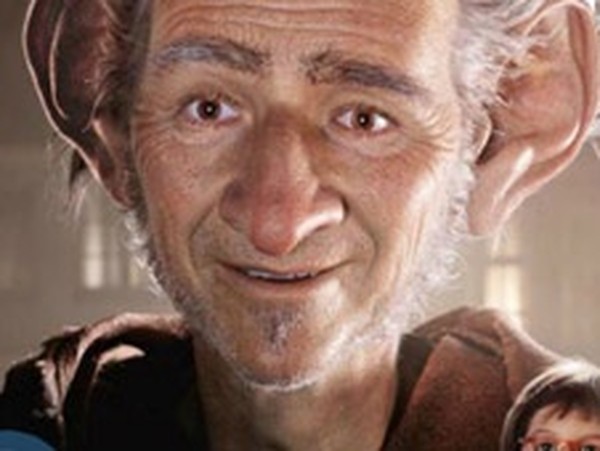
This coloring activity offers a relaxing experience for children and adults. The two black-and-white drawings of a friendly giant are fun to personalize. Controls are simple click-to-fill, and there is no timer or scoring, so players can work at their own pace. The game saves progress automatically and works on any device. It is a safe, mess-free way to enjoy creative play.
Description
Game Introduction
This coloring activity brings a beloved character from a classic story to your screen. You receive two black-and-white drawings of a large, friendly giant, ready to be filled with color. A small colored reference image sits in the bottom right corner, but you are free to choose any palette you like. This game is designed for children and adults who enjoy simple, relaxing creative activities. It requires no special skills, just a desire to play with colors. The interface is clean and easy to understand, making it accessible for young players. Parents can trust this game as a safe space for their kids to express themselves. Coloring has been shown to reduce stress and improve focus, and this digital version offers the same benefits without any mess. You can start and stop at any time, and your progress is saved as you work. The two images provide enough variety to keep the activity fresh. Whether you follow the original colors or invent a new look for the giant, the experience is entirely your own. This game is a wonderful way to spend a quiet afternoon or to share a creative moment with family.
How to Play
To begin, look at the bottom of the screen where a palette of colors is displayed. Click on any color to select it. Then, move your cursor over the black-and-white image of the giant. Click on any white section to fill it with the chosen color. Repeat this process for each section you want to color. You can change colors at any time by clicking a different shade on the palette. There are two giant images to complete. The original colored picture is shown in the bottom right corner as a suggestion. You do not have to follow it. Feel free to experiment with unusual color combinations. If you make a mistake, you can click again with a different color to change a section. The game responds instantly to each click, making the process smooth and satisfying. There is no timer or score, so you can work at your own pace. Once you finish one image, move to the next. The controls are simple enough for young children to use independently.
Game Features
Two distinct giant images to color. Easy click-to-fill controls that respond instantly. A color palette with a variety of shades. Original colored picture provided for inspiration. No time limits or scoring, allowing relaxed play. Safe and family-friendly content suitable for all ages. No downloads or registration required. Works on desktop and mobile browsers. Encourages creativity and color recognition. A calm activity that promotes focus and relaxation.
Tips for Success
Take your time and enjoy the process without rushing. Experiment with different color combinations to make each image unique. Use the reference image if you need inspiration, but feel free to create your own style. If you make a mistake, simply click again with a new color to correct it. Coloring regularly can help improve focus and reduce stress, so make it a part of your daily routine. Share your finished artwork with family and friends for added fun.