Reviews
City Bus Driver 3D Simulator offers a satisfying driving experience with its detailed 3D environments and responsive controls. The variety of routes and buses keeps gameplay fresh, while the passenger feedback system encourages careful driving. It's a great choice for fans of simulation games looking for a relaxing yet challenging activity.
Description
Game Introduction
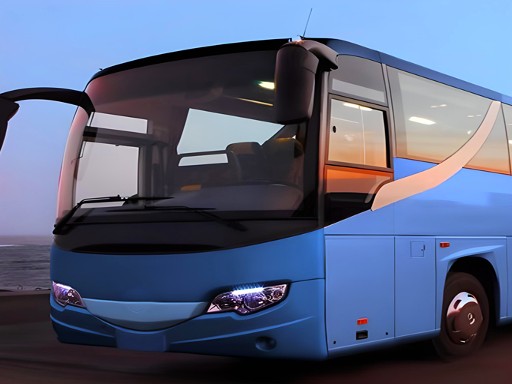
City Bus Driver 3D Simulator places you in the driver seat of a realistic city bus. Your task is to navigate through traffic, follow designated routes, and pick up passengers waiting at bus stops. The game uses detailed 3D graphics to create a lively urban environment. Each route presents unique challenges, such as tight turns and busy intersections. You must manage your time to keep passengers satisfied. This simulation offers a genuine taste of bus driving without leaving home.
How to Play
To play, start by selecting a bus and a route from the menu. Use the on-screen controls to steer, accelerate, and brake. Follow the map to locate passenger stops. When you see waiting passengers, stop the bus and open the doors. After they board, drive to their drop-off points. Be careful at intersections and watch for other vehicles. The game rewards smooth driving and timely arrivals. Completing trips earns points and unlocks new buses and routes.
Game Features
Features include a realistic 3D city environment. Multiple bus models are available to choose from. Various routes offer different challenges. Controls are smooth and responsive. A passenger feedback system helps you improve your driving.
Tips for Success
Practice smooth acceleration and braking to keep passengers comfortable. Plan your route ahead by checking the map for traffic and stop locations. Maintain a steady speed to avoid delays and ensure on-time arrivals. Watch for pedestrians and other vehicles at intersections. Use the feedback from passengers to refine your driving habits. Completing routes efficiently will help you unlock new content faster.