Color Palette and Selection
The game provides a broad palette of vibrant colors for each picture. Players tap or click a color from the available options, then touch the numbered area they wish to fill. This straightforward selection process allows young artists to focus on creativity rather than navigating complex menus.
Numbered Section Mechanics
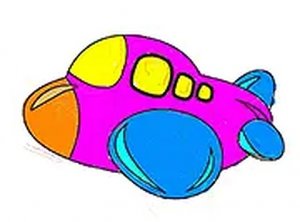
Each aircraft image is divided into small sections, each marked with a number that corresponds to a specific color. This guided approach helps children learn to follow instructions and recognize numbers while they color. It also ensures that the final image looks neat and recognizable.
Speed Scoring and Motivation
A built-in scoring system rewards players for completing each picture quickly. This adds a gentle challenge that encourages repeated play and improvement. Children can try to beat their own best times, which builds confidence and reinforces the connection between effort and reward.
Saving and Sharing Creations
Once a picture is finished, the game allows users to save the colored image directly to their device. This feature lets children share their artwork with family and friends, or simply keep a gallery of their completed projects. It also provides a sense of accomplishment.
Cross-Platform Accessibility
The activity works smoothly on both desktop computers and mobile devices. A full screen mode is available to minimize distractions and create a more immersive coloring experience. Since everything runs in a web browser, there are no downloads or installations required, making it easy to start playing instantly.