Advertisement
Style Studio Character Creator
Character Styling Creative Play Family Friendly

Style Studio Character Creator

Share

Review

Style Studio Character Creator stands out for its welcoming design and focus on creativity. The interface is intuitive, making it easy for young players to start mixing and matching immediately. The gradual unlocking of new items adds a gentle sense of progression. While the game is simple, it provides a satisfying space for experimenting with colors and accessories. It is a solid choice for parents seeking a safe, engaging activity that promotes artistic thinking.

About this game

Getting Started with Outfit Design

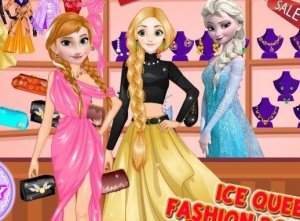
Players begin by selecting a base garment such as a dress or a top paired with a skirt. The interface presents items in clear categories, making it simple to browse through available pieces. Each visitor to the boutique has a unique personality hinted at through their appearance, giving direction for the style you create. The goal is to assemble a complete look that feels cohesive and appropriate for the character.

Accessories and Finishing Touches

Beyond the main clothing pieces, the game offers a range of accessories including hats, scarves, jewelry, and handbags. These smaller items allow for fine-tuning an outfit and can dramatically change the overall impression. Players can also adjust hairstyles and hair colors to match the chosen clothing. This layer of customization encourages attention to detail and helps develop a sense of complete styling.

Visual Style and Atmosphere

The game uses bright, cheerful colors and clean character designs that appeal to a younger audience. The boutique setting is presented with a friendly, welcoming aesthetic. Animations are smooth and non-distracting, keeping the focus on the creative task. The overall visual approach supports a relaxed and enjoyable experience without overwhelming the player.

Progression and Unlockables

As players continue to create outfits, new clothing items and accessories become available. This gradual unlocking system provides a sense of accomplishment and encourages repeated play. The variety of items ensures that no two styling sessions need to look the same. Regular play reveals more options, expanding the creative possibilities over time.

Saving and Sharing Creations

Completed outfits can be saved to a personal gallery, allowing players to build a collection of their favorite designs. This feature lets users look back at their work and see how their styling choices have evolved. While the game does not include public sharing, saving locally provides a satisfying record of creative efforts.

Compatibility

โ–ธ Desktop: Chrome / Edge / Firefox / Safari
โ–ธ Mobile: iOS Safari / Android Chrome
โ–ธ Tablet: iPadOS Safari / Android Tablet Browser
Keep your browser updated for the best experience

FAQ

Frequently Asked Questions

Is Style Studio Character Creator free to play?
Yes, the game is available to play online at no cost. There are no hidden fees or subscription requirements. All core features, including outfit creation and item unlocking, are included in the free version.
What age group is this game designed for?
The game is primarily designed for children aged 6 to 12, but its simple controls and creative focus make it enjoyable for younger kids and even adults who like fashion-themed activities.
Can I play Style Studio Character Creator on a tablet?
Yes, the game works well on touchscreen devices. The drag-and-drop interface is optimized for both mouse and touch input, making it easy to play on tablets and smartphones as well as desktop computers.
How many outfits can I save in my personal gallery?
The game allows you to save a reasonable number of completed looks to your personal gallery. The exact limit is generous enough to encourage experimentation without overwhelming the storage.
Are there any in-app purchases or ads?
Style Studio Character Creator is ad-free and does not include any in-app purchases. The full experience is available from the start, with new items unlocked through regular play rather than payments.
Does the game require an internet connection to play?
An internet connection is needed to load the game initially. Once loaded, some features may work offline, but saving creations and accessing new items typically requires a stable connection.

Comments

0 comments
U
User
Loading comments...

Related Titles

View All โ†’

Share this page

Copy the link below and share it with your friends!